For most buyers the right resin printer is the ANYCUBIC Photon Mono 4, whose 10K monochrome LCD and parallel light source hold 17-micron detail at speed without stepping up to a large-format machine. Resin (MSLA/LCD) printers cure liquid photopolymer with light instead of melting plastic filament, which is why they deliver far finer surface detail than FDM machines — and why they come with a genuinely different, messier workflow and real safety considerations FDM printing doesn’t have. We compared five in-stock resin printers spanning beginner-friendly to large-format, checked their light source and resolution specs against manufacturer and retailer data rather than repeating marketing copy, and built in a dedicated section on the handling, ventilation, and disposal practices every resin printer buyer needs regardless of which model ends up on their desk.
| Model | Build volume | Print speed | Layer height range | XY resolution | Light source |
|---|---|---|---|---|---|
| Creality HALOT R6 | 130.56 × 82.62 × 160mm | 60mm/h | 0.01–0.2mm | 50 µm (2K) | Integral light source, >90% uniformity |
| ANYCUBIC Photon Mono 4 | 153.4 × 87 × 165mm | 50mm/h standard resin – 70mm/h high-speed resin | 0.03–0.15mm | 17 × 17 µm (10K) | Parallel Matrix light source |
| Phrozen Sonic Mini 8K S | 165 × 72 × 170mm | 80mm/h max | 0.01–0.30mm | 22 µm (8K) | Linear Projection LED Module |
| ELEGOO Saturn 4 Ultra 16K | 211.68 × 118.37 × 220mm | 150mm/h max | 0.01–0.2mm | 14 × 19 µm (16K) | COB light source, Fresnel collimating lens |
| ANYCUBIC Photon Mono M7 MAX | 298 × 164 × 300mm | 63mm/h standard resin – 86mm/h high-speed resin | 0.01–0.15mm | 46 × 46 µm (7K) | COB light source, Fresnel lens |
Resin vs. FDM: Why the Learning Curve Is Different
An FDM printer’s main failure modes are mechanical — a clogged nozzle, a warped corner, a skipped step. A resin printer’s are chemical and procedural: uncured liquid resin needs to be handled, washed, and cured correctly every single print, and the printer itself is only part of the workflow. Budget for a wash station (or a couple of mixing tubs and a UV lamp if you’re doing it by hand), nitrile gloves, and a properly ventilated space alongside whichever printer you buy — treating those as optional is where new resin printer owners usually go over budget after the fact rather than before.
The upside is resolution: even the least expensive printer in this roundup resolves detail that no consumer FDM machine can match, which is why resin dominates for miniatures, jewelry patterns, and any model where surface finish matters more than raw size or speed.
Getting Started Without Overspending
A first resin printer doesn’t need to be expensive — it needs to be reliable enough that a beginner’s early mistakes don’t get compounded by hardware that’s fighting the print too. A pre-assembled monochrome-LCD machine is the safer starting point over anything sold partially disassembled.
Best Budget/Beginner: Creality HALOT R6
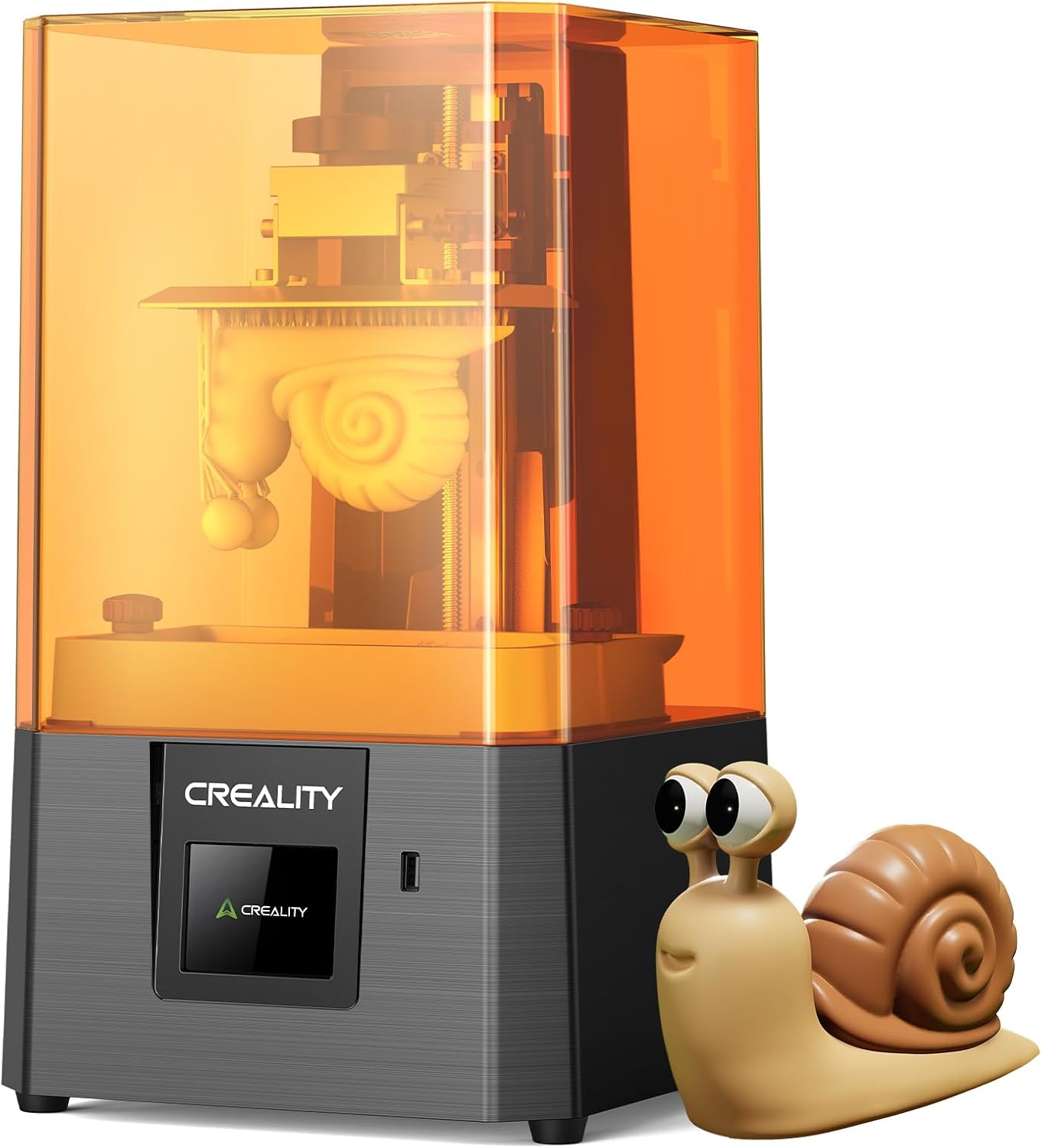
The HALOT R6 pairs a 2K monochrome LCD (50-micron XY resolution) with an integrated 405nm UV light source Creality rates above 90% uniformity, and it ships pre-assembled out of the box — add resin and start slicing rather than building the machine first. It fits a roughly 130 x 82 x 160mm build volume into a compact, lightweight frame, small enough for a desk but with plenty of room for miniatures and most tabletop-scale prints. At this price, the monochrome LCD’s cure speed and screen longevity over older RGB-LCD resin printers is the real upgrade, not raw resolution.
Typically: $375–$500 | Retailer: Amazon
Best Overall Value for Most Buyers
Most buyers don’t need the largest build volume or the highest resolution available — they need a printer that doesn’t force a tradeoff between the two at a reasonable price. That’s the mid-range sweet spot: enough resolution and speed that neither becomes a limiting factor for typical hobbyist prints.
Best Overall Value: ANYCUBIC Photon Mono 4
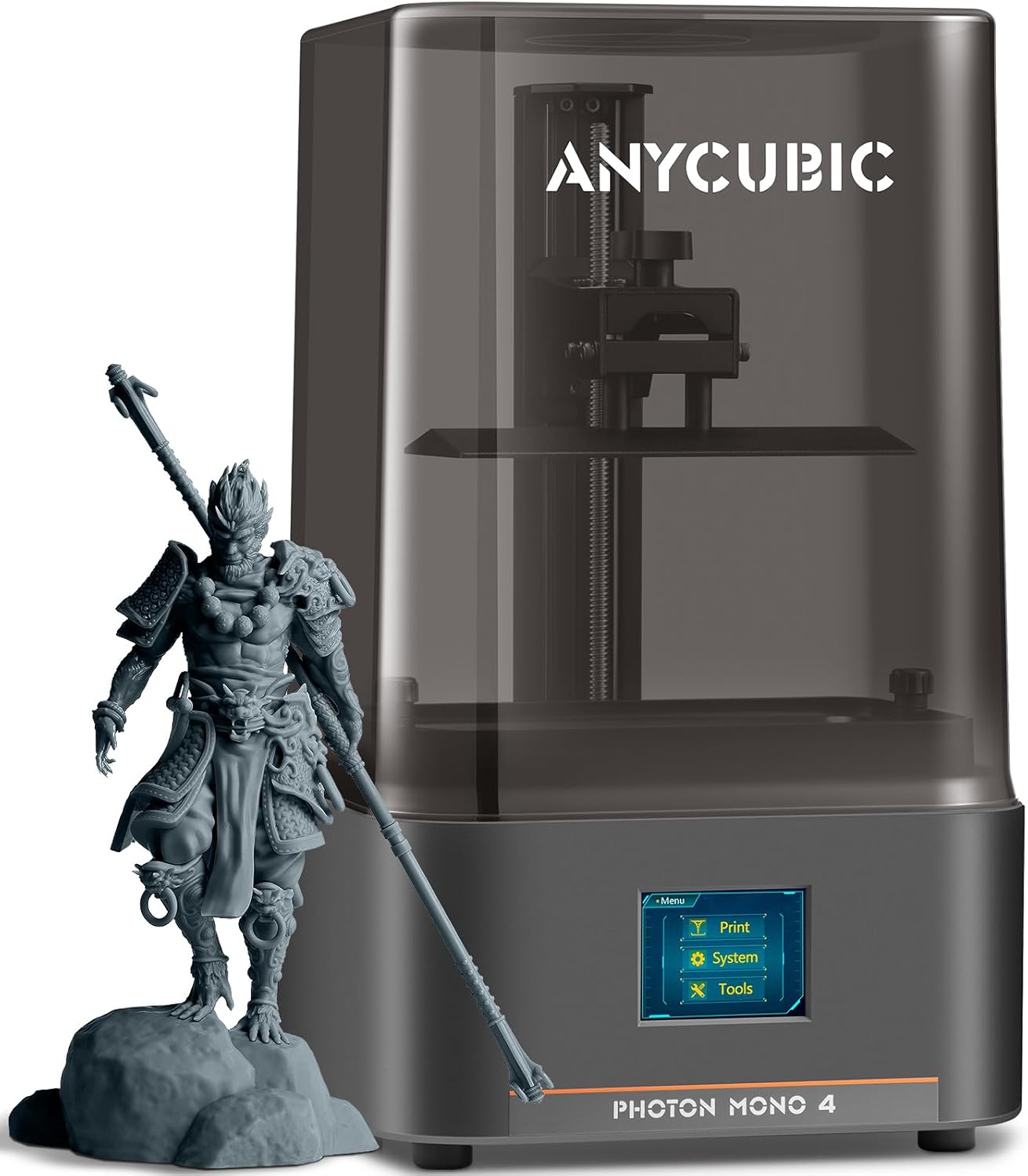
Anycubic’s own spec sheet puts the Photon Mono 4 at a 10K monochrome LCD (9024 x 5120 pixels, a 17-micron XY pixel size) paired with its LighTurbo parallel light source, rated near 3,000 uW/cm2 at 80-90% uniformity with a 1.5-second layer exposure time. That combination lets it print up to 70mm/h with high-speed resin at 0.1mm layers, inside a 153.4 x 87 x 165mm build volume — enough headroom for most single-piece prints without stepping up to a large-format machine. Spec-sheet figures like these are a starting point rather than a verdict, and How We Pick explains what we do with them.
For anyone upgrading from a first resin printer, or buying their first one with some budget to spend, the Mono 4 doesn’t ask for a tradeoff between resolution and speed — both numbers land solidly mid-pack against printers costing twice as much.
Typically: $175–$250 | Retailer: Amazon
Fine Detail and Miniatures
For miniature painters and tabletop gamers, XY resolution (microns per pixel) matters more than build volume — a smaller number means smoother curves and more legible detail on faces and small features. This is also the category where checking the exact model name against the exact spec sheet matters most, since manufacturers frequently sell near-identical variants with different build volumes under the same product line.
Best for Fine Detail/Miniatures: Phrozen Sonic Mini 8K S
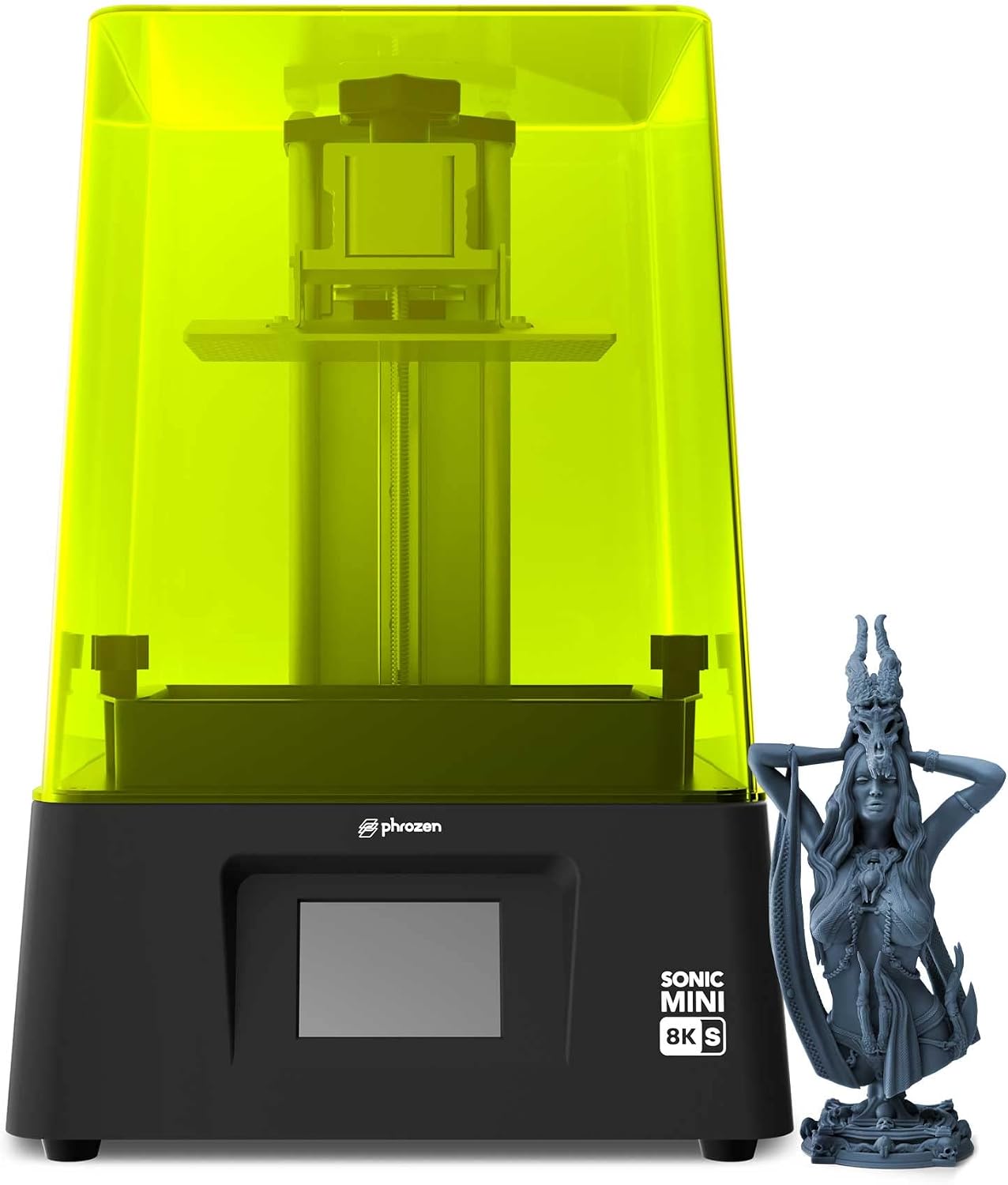
The Sonic Mini 8K S pairs a 7.1-inch monochrome LCD with 22-micron XY resolution and a linear-projection LED light source built to extend the optical path and improve uniformity. Worth flagging: Phrozen also sells a plain "Sonic Mini 8K" without the S, which has a taller build volume; the S variant here tops out at a shorter 165 x 72 x 170mm (about 6.5 x 2.8 x 6.7 inches), trading some vertical room for what Phrozen positions as the more affordable, tabletop-focused version of the line. For miniature painters and tabletop gamers, the 22-micron resolution is the number that matters most — fine enough to resolve chainmail links and facial detail on 28-32mm scale figures, a segment where a smaller build volume rarely stops anyone.
The tradeoff in this category is a direct one: the highest-resolution printers usually have the smallest build plates, since packing more pixels into the same panel size is easier than making the panel physically bigger without new cost or light-uniformity tradeoffs.
Typically: $250–$350 | Retailer: Amazon
Large-Format and High-Resolution Printing
Scaling up a resin printer’s screen without also scaling up the pixel count just makes each pixel bigger and detail coarser, so a genuine large-format pick needs a proportionally higher resolution, not just a bigger panel — the only way to print large or multi-part batches without visible banding on flat surfaces.
Best High-Resolution/Large Format: ELEGOO Saturn 4 Ultra 16K
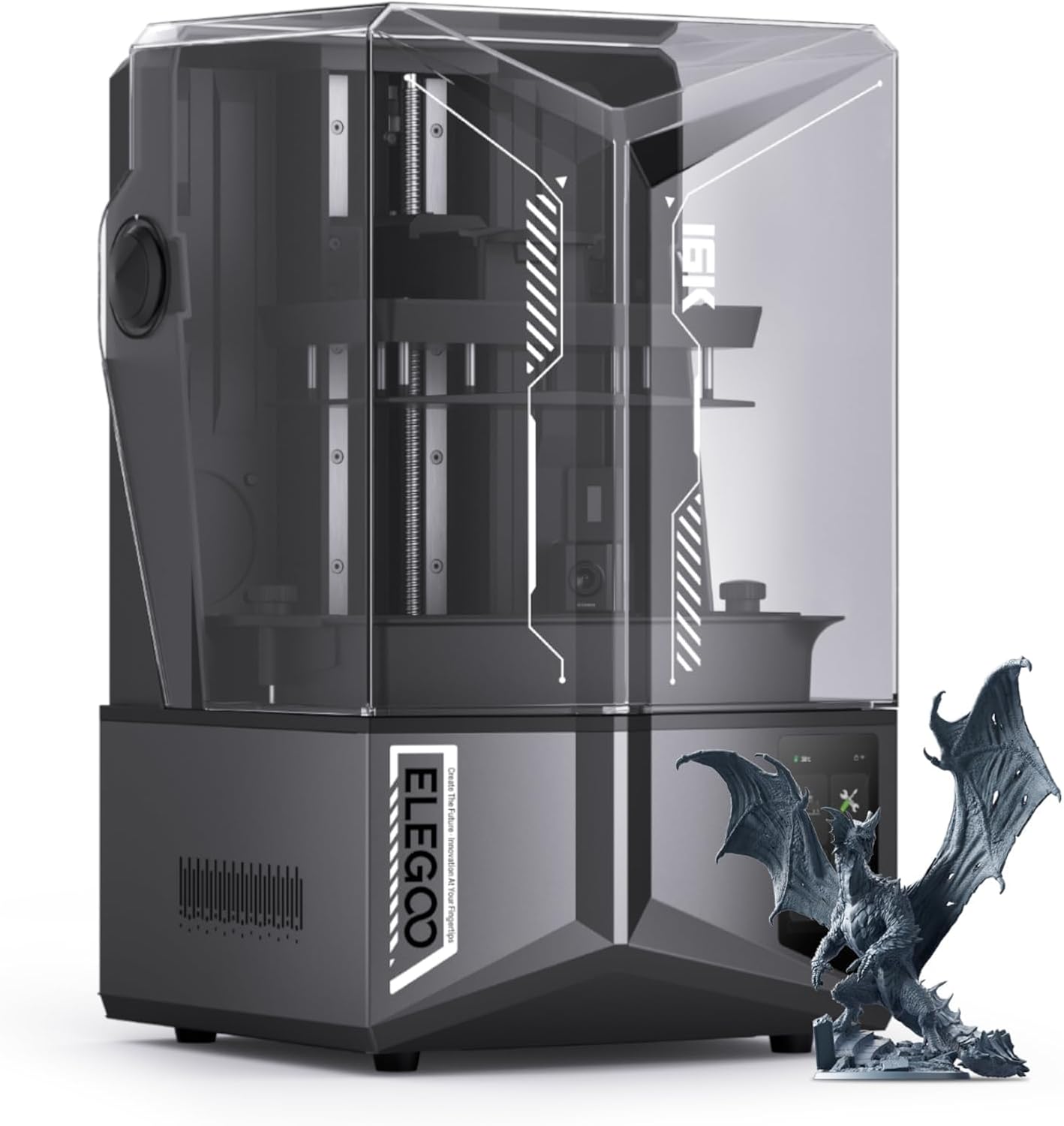
ELEGOO’s Saturn 4 Ultra 16K uses a 10-inch, 16K monochrome LCD at roughly 19-micron XY resolution — high enough that ELEGOO can fit a genuinely large 211.68 x 118.37 x 220mm (8.33 x 4.66 x 8.66-inch) build volume without large flat surfaces showing visible pixelation. Tilt-release tank hardware separates the cured layer from the film by tilting the vat rather than peeling straight up, which is also how it reaches its rated 150mm/h print speed, and a smart tank heater holds resin at a steady 30°C so viscosity doesn’t drift between the first layer of a print and the two-hundredth. Worth noting: ELEGOO also sells a separate, lower-resolution "Saturn 4 Ultra" (12K) — a genuinely different product from the 16K version here, not just a marketing suffix.
A larger build volume matters most for multi-part cosplay props, architectural models, or several miniatures printed on one plate at once — anyone printing single small figures rarely needs the extra bed space this pick is built around.
Typically: $450–$600 | Retailer: Amazon
Speed and Print Volume for Power Users
For high-volume or commercial use, print speed and build volume together determine real throughput more than resolution does — a printer that cures a full plate in the time a smaller machine cures a quarter of one pays for itself in machine-hours saved.
Best Premium/Fastest Printing: ANYCUBIC Photon Mono M7 MAX
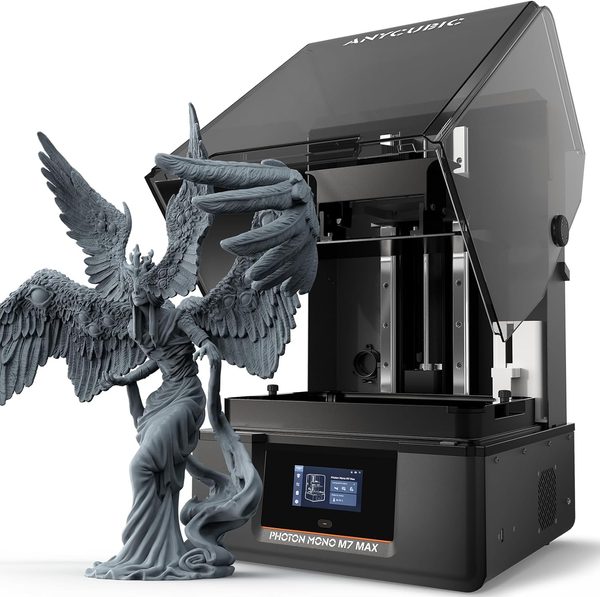
The Photon Mono M7 MAX steps up to a 13.6-inch, 7K monochrome LCD (46-micron XY resolution) lit by a COB (chip-on-board) light source with a Fresnel lens, rated around 4,500 uW/cm2. That combination pushes print speed to roughly 63mm/h on standard resin and up to 86mm/h on resin formulated for speed, inside an 11.7 x 6.5 x 11.8-inch build volume — the largest bed of any printer in this roundup. One detail worth knowing before buying: Anycubic does not include an air-filtration system with the printer itself; a carbon-filter accessory is sold separately, so budget for it if fume control matters in your workspace rather than assuming it’s bundled at this price point.
The M7 MAX’s per-pixel resolution is coarser than the Saturn 4 Ultra 16K’s or the Sonic Mini 8K S’s — the tradeoff for a physically larger, faster-curing screen — so it’s the pick for filling a full plate quickly rather than chasing the sharpest possible surface finish on a single small piece.
Typically: $700–$950 | Retailer: Amazon
Resin Safety: Handling, Ventilation, and Disposal
Every printer on this list uses the same class of liquid photopolymer, and the safety practices that go with it don’t change based on which model you buy. Uncured resin is a recognized skin irritant and sensitizer with repeated contact, so nitrile gloves during handling and cleanup are the baseline, not an optional accessory — and a standard dust mask like an N95 blocks particles, not the volatile organic compounds resin and its wash-off give off, so it isn’t the protection people often assume it is.
Ventilation is the control that actually matters, and not all forms of it are equal. Ducted exhaust to the outside is the strongest option; a carbon-filtered enclosure is a legitimate second choice, but activated carbon adsorbs VOCs only until it saturates, after which it stops working with no visible warning unless the filter is tracked and replaced on a schedule. None of the five printers here include a built-in carbon filter — the Photon Mono M7 MAX specifically sells one as a separate accessory rather than bundling it — so plan on adding real ventilation to whichever machine you buy rather than relying on the printer’s own enclosure to handle it.
Disposal is the other place people cut corners. Never pour uncured resin or resin-contaminated isopropyl alcohol down a drain; the standard hobbyist practice is to leave used wash alcohol in an open, UV-exposed container until the dissolved resin cures out and settles, then reuse the clear alcohol and dispose of the cured solids as ordinary plastic waste. Fully cured, hard, non-tacky prints are inert and safe for regular trash; anything still tacky on the surface needs more time under UV light before it’s actually done curing, not before it’s thrown out.
Leave a Reply