The Bambu Lab P2S is the machine most people who print regularly should buy: a fully enclosed CoreXY that arrives calibrated and takes the AMS 2 Pro, which dries filament as it feeds. The enclosed CoreXY machine that everyone recommended through 2025 has been replaced, the budget bracket now has a genuine enclosed CoreXY option in it, and Prusa has finally shipped an enclosed printer that competes on speed instead of just on principle. That is enough movement to make a year-old recommendation actively wrong, so this is a fresh pass at the whole market rather than a price refresh. Five machines, four manufacturers, chosen for what they are actually good at rather than for filling out a list.
Best Overall: Bambu Lab P2S
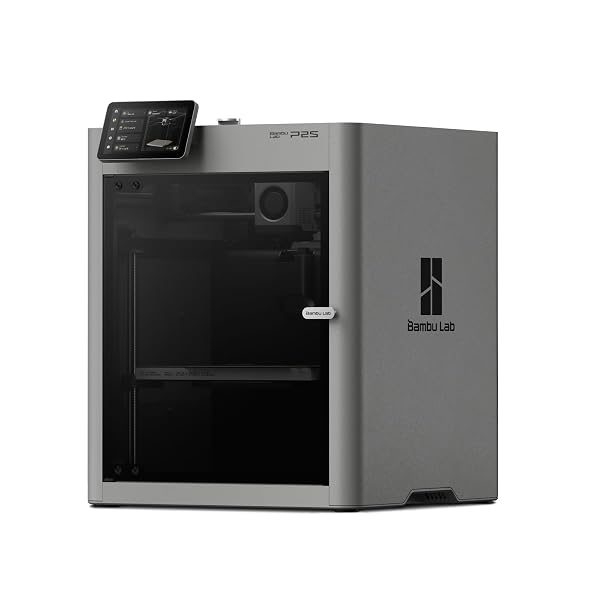
The P2S is the successor to the P1S, and it is the machine most people who print regularly should buy. It is a fully enclosed CoreXY, which matters for two separate reasons: the enclosure holds enough heat to print ABS and ASA without the parts curling off the plate, and the CoreXY motion system keeps the bed still so tall prints do not get shaken apart at speed. Setup is close to nothing — it arrives calibrated, finds the bed on its own, and prints a benchmark part off the built-in model library without a slicer profile being touched. The real argument for it over the cheaper Bambu machines is the multi-material path: it takes the AMS 2 Pro, which dries filament as it feeds, and that turns PETG and nylon from a humidity gamble into something that just works. Its limits are honest ones. The build volume is mid-sized, so large single-piece prints have to be cut and glued, and the ecosystem is closed enough that repairs mean ordering Bambu parts rather than printing your own.
Typically: $475–$650 | Retailer: Amazon
Best First Printer: Bambu Lab A1
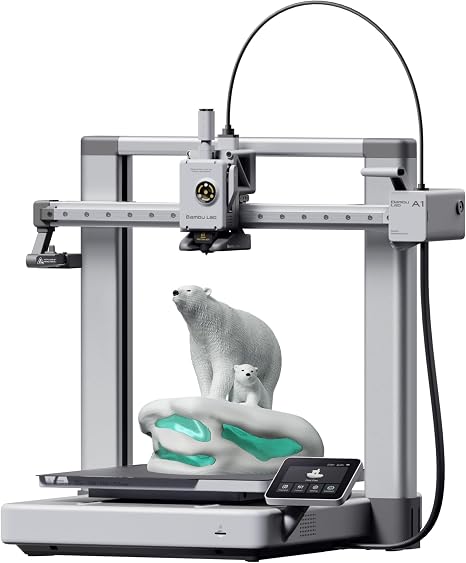
The A1 is the printer to buy if you have never owned one and are not yet sure how much you will use it. It is a bed slinger rather than a CoreXY — the plate moves back and forth under the nozzle — which makes it cheaper, louder, and a little slower on tall parts, and none of that will matter for the first year. What matters is that it removes the two things that make people give up: bed leveling and first-layer adhesion. It probes the plate and compensates automatically before every print, and the flexible textured sheet releases parts by bending instead of by prying. The open frame means ABS is off the table and drafts will ruin a large print, so keep it out of a garage in winter and stick to PLA and PETG. If you outgrow it, you will have learned exactly which constraint pushed you out, which is a much better basis for a second printer than a spec sheet is.
Typically: $250–$350 | Retailer: Amazon
Best Budget CoreXY: ELEGOO Centauri 2
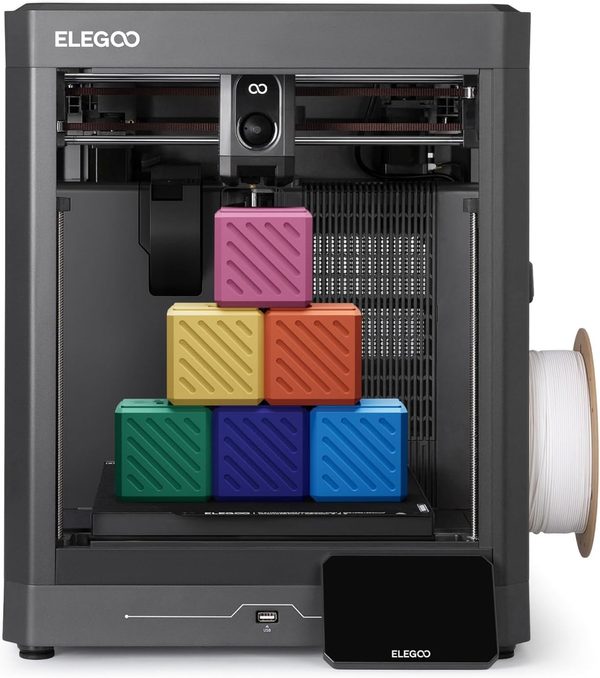
CoreXY used to mean paying roughly twice what a bed slinger costs, and the Centauri 2 is the machine that collapses that gap. You get a rigid aluminium CoreXY frame that runs at 500 mm/s with 20,000 mm/s² acceleration, a 350 °C hot end, and a 256 mm cube of build volume. Read that hot end number carefully. ELEGOO’s own spec table lists PLA, PETG, PLA-CF and TPU as ideal, and marks ABS/ABS-CF, ASA/ASA-CF, PET/PET-CF, PETG-CF, PA/PA-CF and PC “Not Recommended” in this machine, so the nozzle is rated for materials the maker will not stand behind in the printer it is bolted to. It calibrates itself — bed mesh, offsets and pre-print checks — so the first print does not start with a feeler gauge and a printed test square. Elegoo built its reputation on resin machines, and this is the FDM line finally standing on capability rather than price alone. What you give up against the Bambu machines is the ecosystem and the enclosure: the slicer is a fork of an open-source project rather than a first-party product, the model library is not integrated the same way, multi-material support is a separate purchase, and the open frame is a large part of why that filament list is as short as it is. For PLA, PETG and TPU, it is the most printer in the budget CoreXY bracket.
Typically: $225–$325 | Retailer: Amazon
Best for Repairability: Original Prusa CORE One
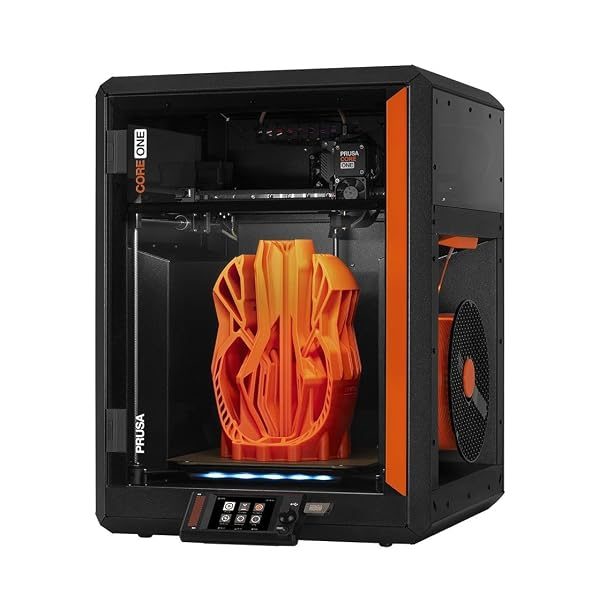
The CORE One is what happens when the company that spent a decade publishing its own part files finally builds an enclosed CoreXY. It prints fast enough to be judged against the rest of this list rather than excused, and everything Prusa is known for survives the transition: full printable spare parts, documented step-by-step repair guides for every assembly, firmware you can actually read, and a slicer that does not require an account to use. That is not a philosophical preference, it is a maintenance argument — a hot end failure on this machine is an evening and a printed bracket, and on a closed machine it is a support ticket and a shipping wait. It is the most expensive printer here by a clear margin, and it does not have the click-together multi-material story the Bambu ecosystem has. Prusa now ships the CORE One+ as the current version and sells an upgrade kit for CORE One owners, so check which of the two a listing describes. Buy it if you expect to still be running the same machine in five years, or if you have been burned by a printer whose vendor stopped answering.
Typically: $1,250–$1,700 | Retailer: Amazon
Best for Large Prints: Creality K2 Plus
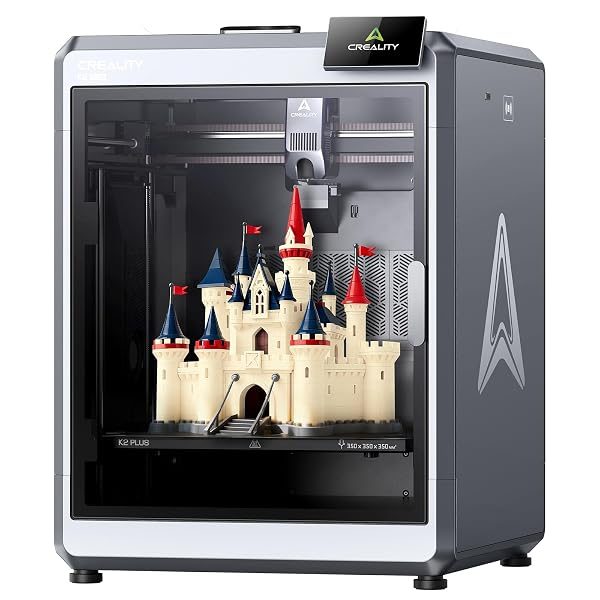
Every other machine on this list makes you cut large parts into pieces and glue them. The K2 Plus does not — its enclosed build chamber is big enough for helmet shells, full-size cosplay props, RC bodies, and functional brackets that would otherwise need a seam. Scaling a printer up is harder than it sounds, because a large enclosed volume has to hold an even temperature or the corners of a big ABS part lift off the plate regardless of how well the first layer went down, and this is the bracket where Creality has put its effort. It handles multi-colour through the CFS feeder, and it auto-levels across the whole plate rather than sampling a few points. It is physically large and it is not quiet, so it wants a garage or a workshop rather than a desk in a bedroom. Choose it for size; if your parts fit inside a mid-size printer, one of the others above will give you a better experience for less.
Typically: $850–$1,150 | Retailer: Amazon
| Model | Build volume (mm) | Max nozzle temperature | Published chamber temperature | Manufacturer’s own filament guidance |
|---|---|---|---|---|
| Bambu Lab P2S | 256 × 256 × 256 | 300 °C | Not published | PLA, PETG, ABS, ASA, TPU, PET, PA, PC, PVA and CF/GF grades, listed without qualification |
| Bambu Lab A1 | 256 × 256 × 256 | 300 °C | Not published | Ideal: PLA, PETG, TPU, PVA. Not recommended: ABS, ASA, PC, PA, PET, carbon/glass fibre grades |
| ELEGOO Centauri 2 | 256 × 256 × 256 | 350 °C | Not published | Ideal: PLA, PETG, PLA-CF, TPU. Not recommended: ABS/ABS-CF, ASA/ASA-CF, PET/PET-CF, PETG-CF, PA/PA-CF, PC |
| Original Prusa CORE One | 250 × 220 × 270 | Not published | Up to 55 °C, actively controlled | Not published |
| Creality K2 Plus | 350 × 350 × 350 | 350 °C | 60 °C max, active chamber heater | PLA, ABS, PETG, PA-CF, PLA-CF, PET, ASA, PPA-CF |
One deliberate omission: there is no resin printer here. Resin is a different process with different consumables, different ventilation requirements, and a wash-and-cure step after every print, and mixing it into an FDM list makes both halves worse. If you are printing miniatures or anything where surface detail is the whole point, read the dedicated resin roundup instead — for everything else, one of the five above is the right machine.
Deciding what belongs in a roundup is as much of a judgement as deciding what wins it; both calls follow the same method we use on every category.
Leave a Reply