The xTool S1 in its 40W version is the diode laser engraver we would put in a home workshop first. It is enclosed, it is rated Class 1, and xTool publishes single-pass cut depths for it that are close to double what its own 20W module manages. That combination matters more than any single spec. The other three picks exist because not everyone needs a box around the laser, and an open-frame machine gives you a different set of tradeoffs that suit some people better. We have not run these machines ourselves. Everything below comes from the manufacturers’ own spec pages, and where a maker does not publish a number we say so.
Enclosed or open-frame
This is the first decision, and it settles most of the others. An enclosed machine puts the gantry inside a lid with a tinted window, so the blue light stays in the box and the fumes leave through one duct. Both enclosed picks here carry a Class 1 laser rating for the complete machine. In practice that means nobody walking past needs goggles while a job runs.
An open-frame machine is a gantry on four feet. You set it on a bed, or right on top of a large panel, and it will happily engrave a tabletop that could never fit inside a lid. The cost is that the beam and its reflections are out in the room. Anyone nearby needs glasses rated for the wavelength, and smoke drifts wherever the air is going.
If children or pets share the room, buy enclosed.
What the wattage actually buys
More optical power mostly buys cutting depth. It does not buy finer engraving. xTool’s own comparison of its two S1 modules makes the point well: the 40W cuts 18mm cherry in one pass against 10mm for the 20W, but its spot is 0.08 by 0.10mm, slightly larger than the 20W’s 0.08 by 0.06mm. xTool itself suggests the 40W for cutting and the 20W mainly for engraving.
If you mostly engrave photos onto slate or names onto cutting boards, a 20W machine is not a compromise; spot size shapes that work far more than power does. If you want to cut box joints out of 6mm plywood all weekend, extra power saves you passes, and passes are where char and time pile up.
Fumes, eyes and materials
No machine on this list removes smoke by itself; plan on ducting it outdoors or buying a proper filter unit. An enclosure keeps the smoke contained, but it is still smoke.
Two material rules catch new owners. Blue diode light passes through clear and pale acrylic, which is why the manufacturers specify dark or black acrylic in their cutting claims. And never put PVC or vinyl under any laser: it releases chlorine compounds that are harmful to breathe and corrode the machine’s rails.
Plain wood and leather are the forgiving materials to learn on.
| Machine | Build | Laser output | Working area | Max speed | Spot size | Air assist |
|---|---|---|---|---|---|---|
| xTool S1 (40W) | Enclosed, Class 1 | 40W | 498 × 319 mm | 600 mm/s | 0.08 × 0.10 mm | Not published |
| Creality Falcon2 Pro (22W) | Enclosed, FDA Class 1 | 22W | 400 × 400 mm | Not published | Not published | Integrated |
| Ortur Laser Master 3 (20W) | Open frame | 20W | 400 × 380 mm | 20,000 mm/min | 0.08 × 0.08 mm | Air Pump 1.0 included |
| AtomStack A20 Pro V2 | Open frame | 20W | 400 × 365 mm | 400 mm/s | 0.08 × 0.10 mm | Sold in bundles |
The picks
Two enclosed machines and two open-frame ones, from four different makers.
Best Overall: xTool S1 40W Enclosed Diode Laser
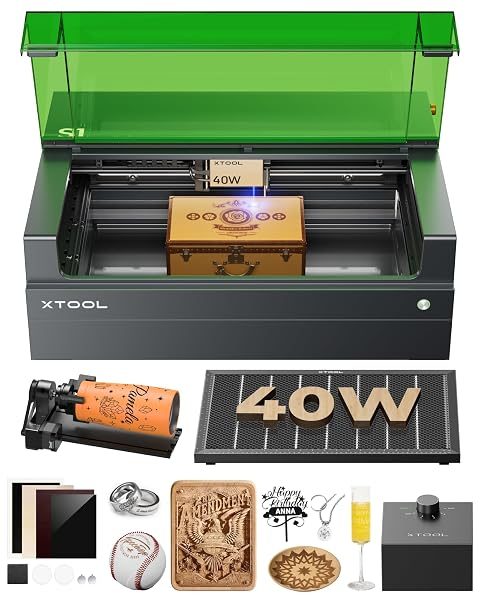
The S1 wins on the thing that is hardest to add later, which is a safe box built around a strong laser. xTool lists five-direction flame detection, an emergency stop, a lid-open stop and a key lock. The working area is 498 by 319mm, the largest here along one side, and the published top speed is 600 mm/s.
Cutting is where the 40W module earns its place. xTool claims 18mm cherry and 15mm dark acrylic in a single pass, plus a light 0.1mm pass through stainless. Those are the maker’s figures and we treat them as ceilings. Your wood will be less cooperative than theirs.
The machine also takes the 20W module, so the choice is less permanent than it looks. Buy the 40W if cutting is even half of what you plan to do; swapping down later for detail work is a module purchase, not a new machine. That flexibility is the other reason it sits at the top.
The drawbacks are size and a spot slightly coarser than the 20W module’s. If you only engrave, the 20W S1 is the more sensible configuration of the same machine.
Typically: $1,400–$2,000 | Retailer: Amazon
Best for Built-In Air Assist: Creality Falcon2 Pro 22W
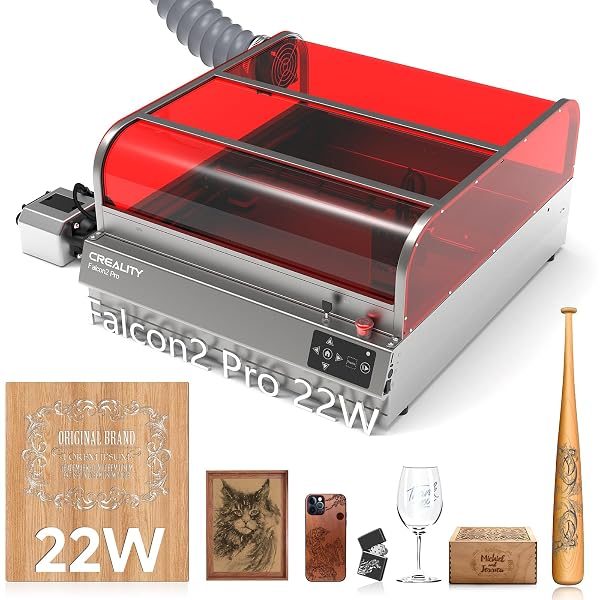
Air assist blows a jet of air at the cut. It clears smoke from the beam path and keeps the flame down, which is the difference between a clean edge and a charred one. The Falcon2 Pro builds it in, where most open-frame machines sell it as an add-on.
Creality adds a top camera covering the full 400 by 400mm bed, so you can place a design on a scrap offcut and see where it lands. Its sensors watch airflow, lens cleanliness and flame. The whole machine is FDA Class 1.
Be careful which listing you buy. The 22W version linked here is the entry model. Creality publishes cut depths only for the 60W, so we cannot tell you what the 22W manages in a pass. Separate Falcon2 Pro S listings are a different machine.
Typically: $750–$1,050 | Retailer: Amazon
Best Open-Frame for Cutting: Ortur Laser Master 3 20W
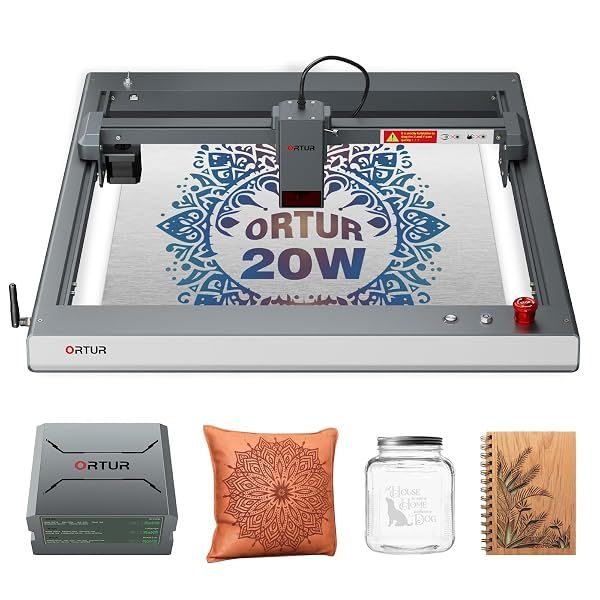
Of the two open-frame picks, the Laser Master 3 is the one set up for cutting from the start. The 20W version ships with Ortur’s Air Pump 1.0, and Ortur’s own demonstrations show it through 10mm plywood.
Its 0.08 by 0.08mm spot is the tightest published for any configuration linked here. Ortur does not state a laser class, so assume goggles for everyone in the room.
Typically: $700–$900 | Retailer: Amazon
Best for Beginners: AtomStack A20 Pro V2
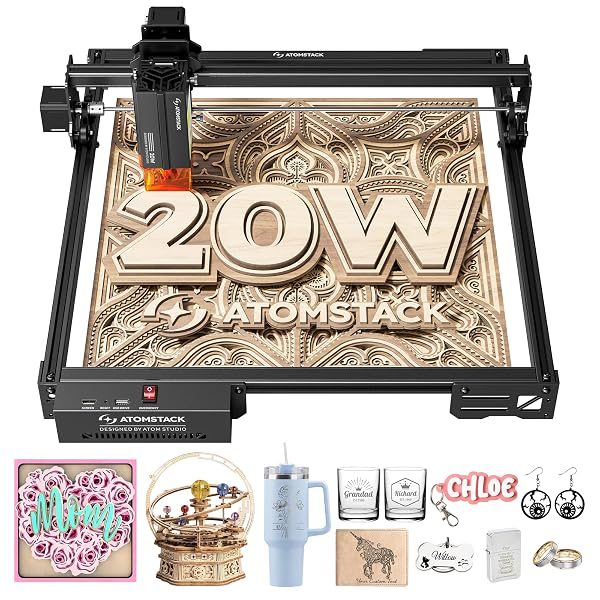
The A20 Pro V2 is the easiest of the four to get running from a phone. It connects over USB or 2.4G Wi-Fi, and AtomStack’s app runs on Android and iOS alongside LightBurn and LaserGRBL on a computer. The top speed is 400 mm/s over a 400 by 365mm area.
It has a tip-over alarm that sounds past a 15° tilt and can resume an interrupted job. Read the flame detection line on AtomStack’s spec sheet closely. It needs the separate Z2 Z-axis slider, so the machine-only package does not give you that protection by itself.
Focus is manual, and air assist comes in the bundles, not the bare machine. For engraving wood, leather and slate, those gaps rarely matter. For cutting they do, so buy the air bundle if cutting is the plan.
Typically: $325–$450 | Retailer: Amazon
One number to check on any laser engraver listing is whether the wattage is optical output or electrical input. They are not the same thing. AtomStack’s sheet for the A20 Pro V2 lists 120W input and 20W output, and older listings across the category sometimes advertised the bigger number. Only optical output tells you what reaches the wood. If a listing gives one wattage without saying which, go to the maker’s own spec page before you compare it with anything.
Leave a Reply